main(){char O,o[66]="|\n\\/_ ",*I=o+7,l[]="B!FhhBHCWE9C?cJFKET$+h'Iq*chT"
,i=0,_;while(_=l[i++])for(O=0;O++<_>>5;)*I=*(I++-(_&31));*I=0;puts(o+5);}
Cheers,
Madhu
I am the Original Kernighan
Showing posts with label Computers. Show all posts
Monday, September 24, 2007
Fnd the bug
Other posts on topic :
Computers,
Technology
Tuesday, October 17, 2006
WIFI is working
Wireless is finally working ..Probably is that why it is called WiFi (wireless finally)
Madhu
Madhu
Other posts on topic :
Computers,
Technology
Tuesday, October 10, 2006
BSNL and DLink GLB-502T
I got a new BSNL broadband phone connection. Thanks to BSNL, i had to purchase my ADSL modem. I decided to purchase D-Link GLB-502T .Therz another story on why i got this modem. ( to be precise its arouter)
Now I will try and put some screenshots and step by step procedure to configure your comp (XP) and Ubuntu linux with the ADSL router .
Connect the ethernet cable , from the router to the Comp. This is all the the hardware setting you need to do .
Now I will try and put some screenshots and step by step procedure to configure your comp (XP) and Ubuntu linux with the ADSL router .
Connect the ethernet cable , from the router to the Comp. This is all the the hardware setting you need to do .
- The modem has 2 ports, From 1 you need to connect the ethernet cable and from the other you need to connect to the fone line.
- start your modem
- Boot your comp.
- For XP
- open N/W Connections
- Enter the ip address as 192.168.1.2( Local LAN)( Infact last dgit cud be nething from 2 to 255)
- Enter subnet mask 255.255.255.0
- Enter default gateway 192.168.1.1
- Enter the DNS ips
- 61.1.96.69
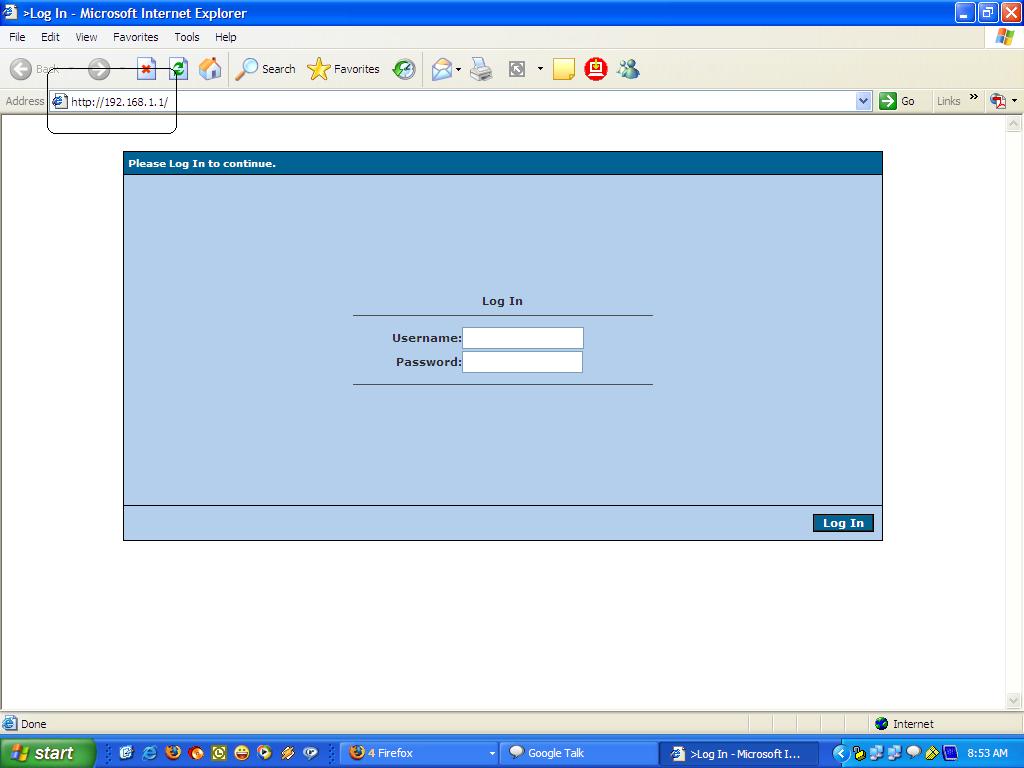
61.1.96.71 - Type http://192.168.1.1 in your browser
- It will open the following page
- Enter admin/admin and log in
- You will see

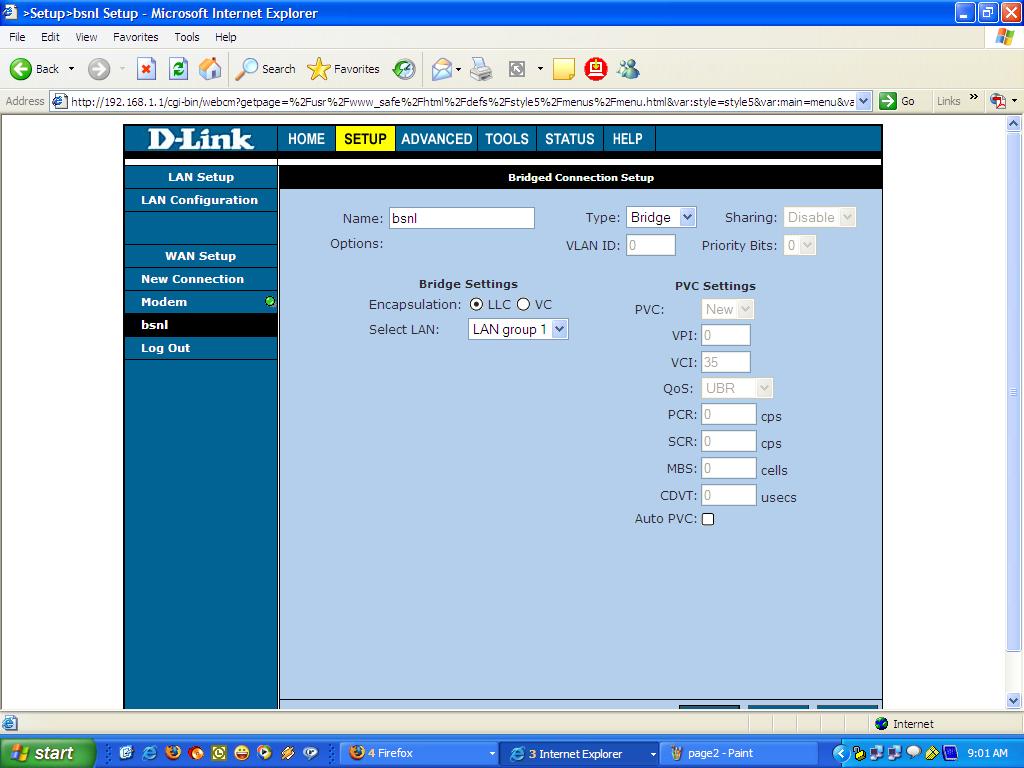
- Create a new connection as shown in the following screen

Type = Bridge
PVC Settings VPi=0 , VCi=35
Click Apply and Go to tools menu and to System commands in the left menu
Now wait for 2 mins for the router to boot up . Alls done in the router's side .
Run a PPPOE dialer with your login and passwd provided by BSNL .
Open Sesame ...the whole of internet is waiting for you
Other posts on topic :
Computers,
Technology
Subscribe to:
Comments (Atom)